Product
DMARC monitoring dashboard
Every domain, fully visible
Each domain gets its own detail view: an AI-generated summary, a 30-day alignment trend, sending source breakdown, DNS posture, policy history, and alerts. Most weeks, one glance is enough.
AI summary
Plain-English breakdown of your data
Every domain detail view opens with an AI-generated paragraph that interprets what the numbers mean. Not just "86.3%" but why it is 86.3%, which sender is responsible, and what to do about it before you move policy forward.
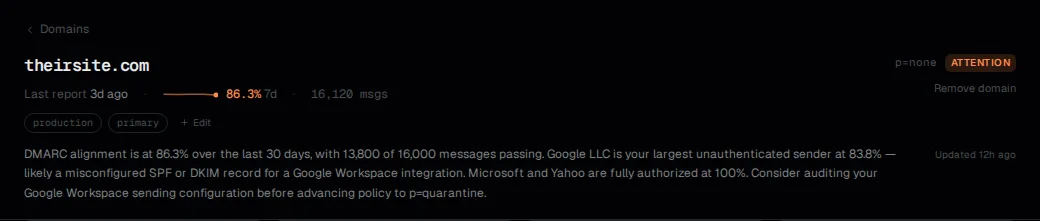
Four numbers, one verdict
Alignment rate, DMARC policy, reporter count, and age of the last report. If alignment is falling or reporters have gone quiet, this row flags it before you read anything else.

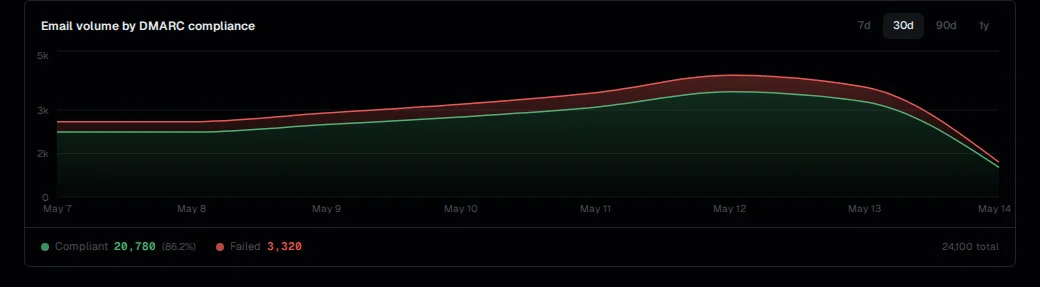
Spot regressions before you enforce
Email volume split by DMARC compliance, plotted over 30 days. A widening gap between compliant and total messages is the signal to investigate before moving from p=none to p=quarantine.
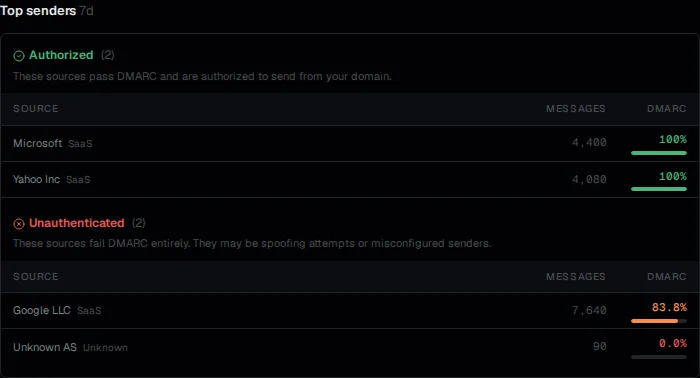
Who is sending from your domain
Every source from the last 7 days, grouped into Authorized (passing DMARC) and Unauthenticated (failing). Authorized means SPF and DKIM are both configured correctly for that sender.
A source failing at 83.8% usually means a misconfigured integration, not spoofing. The distinction matters when deciding whether to escalate policy.
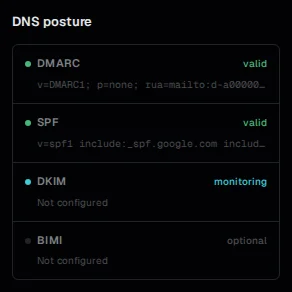
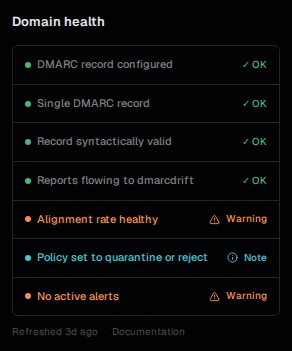
Are your records actually set up right?
DNS posture shows whether each record (DMARC, SPF, DKIM, BIMI) is present and valid. Domain health translates those records into actionable checks: are reports arriving, is alignment healthy, is policy enforced?
These two panels answer different questions. Posture tells you what is in DNS. Health tells you whether the current configuration is doing what you intend.
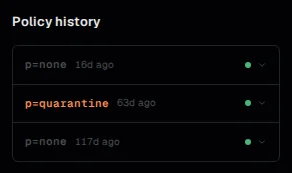
Track every policy change
Every time your DMARC p= value changes, it is recorded with a timestamp. Moving from p=none to p=quarantine and back is visible here, so there is no ambiguity about when a change happened or what it was.
Useful when debugging a delivery problem: you can rule out a recent policy change as the cause in seconds.
Alerts
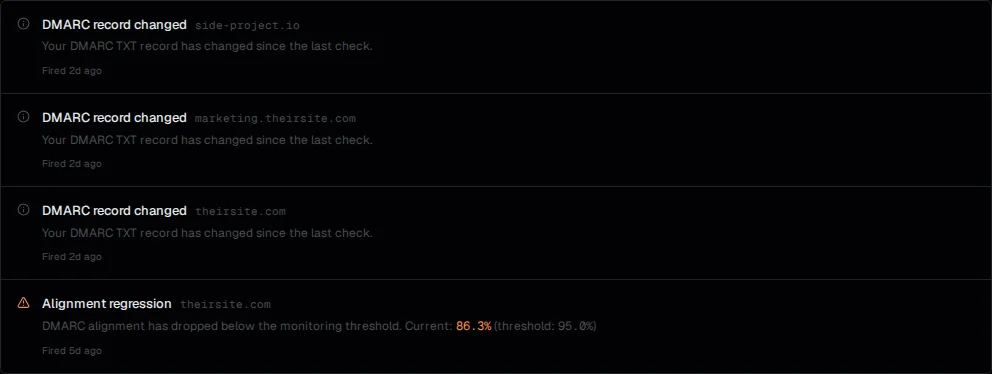
Fires when something actually matters
Alerts fire for alignment regressions, spoofing signals, and DNS record changes. Most domains are quiet most of the time.
Each alert links directly to the affected domain. Acknowledge it once reviewed, or let it resolve automatically when the underlying issue clears.
Integrations, Pro
Pull data or push alerts anywhere
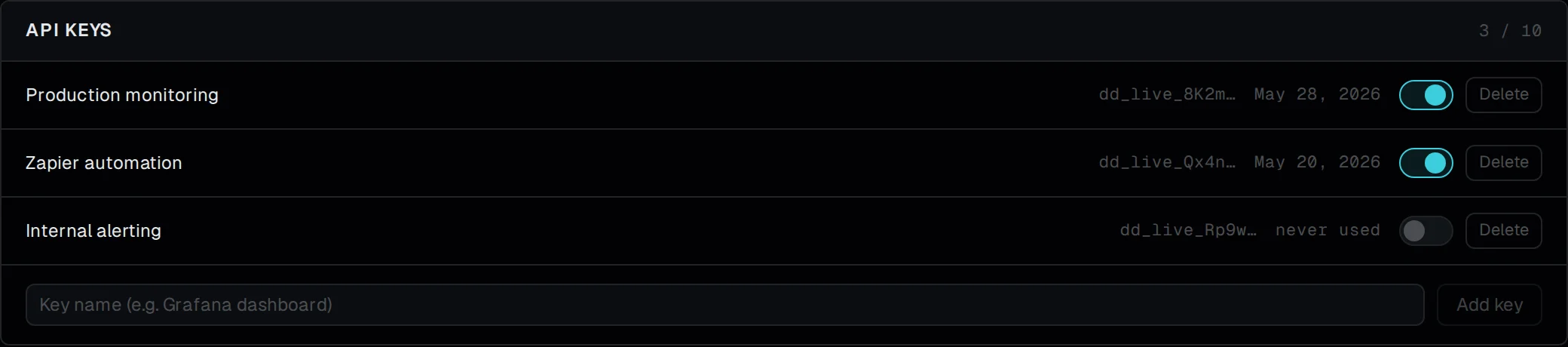
API keys give programmatic read access to your domains, reports, and alerts, useful for dashboards, scripts, and internal tooling.
Webhooks push alert events to any HTTPS endpoint the moment they fire: Slack, PagerDuty, a SIEM, or your own handler. Each endpoint gets a signing secret so you can verify payloads before processing them.

Start monitoring your domains
Free tier covers one domain. No credit card required.
Start free